When investigating performance degradation in SQL Server, we often look at missing indexes, outdated statistics, or bloated execution plans. However, sometimes the root cause lives entirely outside the database engine, deep within the application configuration.
In a recent performance optimization case, we encountered a classic hidden performance bottleneck: the default behavior of Java database drivers when handling string parameters.
The Problem: Implicit Conversions and Table Scans
The client experienced severe CPU spikes and sluggish query performance. The underlying culprit turned out to be the default setting of the JDBC driver parameter sendStringParametersAsUnicode = true.
The Mechanism: When this setting is TRUE (which is the default), the Java driver transmits string variables as Unicode (NVARCHAR) to the database. This happens transparently under the hood, regardless of how the developer originally declared the string variables in the application code.
The Conflict: If your database tables store text in standard non-Unicode columns (VARCHAR or CHAR), a fundamental data type mismatch occurs. SQL Server is then forced to perform an implicit data type conversion on every single row to evaluate the predicate, because it cannot directly compare Unicode and non-Unicode data without a conversion step.
The Consequence: This runtime conversion completely invalidates existing non-clustered indexes on those columns. As a result, the query optimizer is forced to abandon efficient seek operations in favor of costly table scans, severely elevating CPU usage, creating resource bottlenecks, and degrading overall system concurrency.
The Solution and Verification
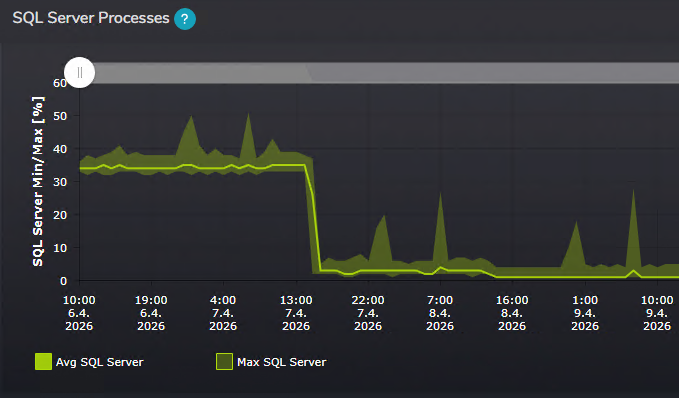
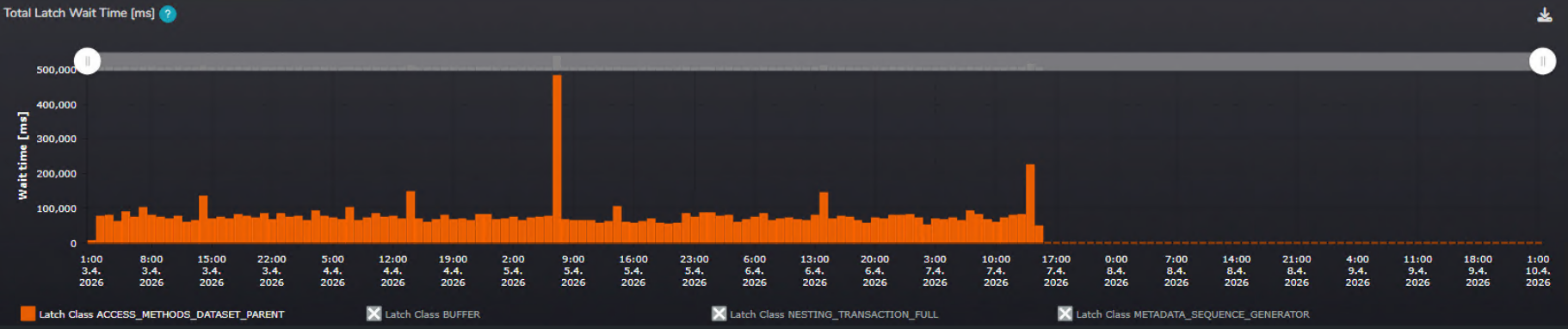
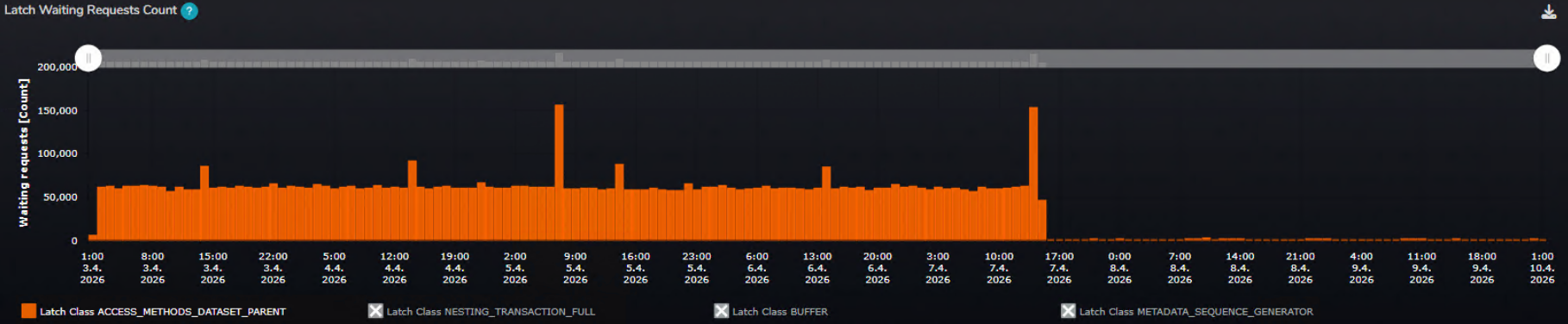
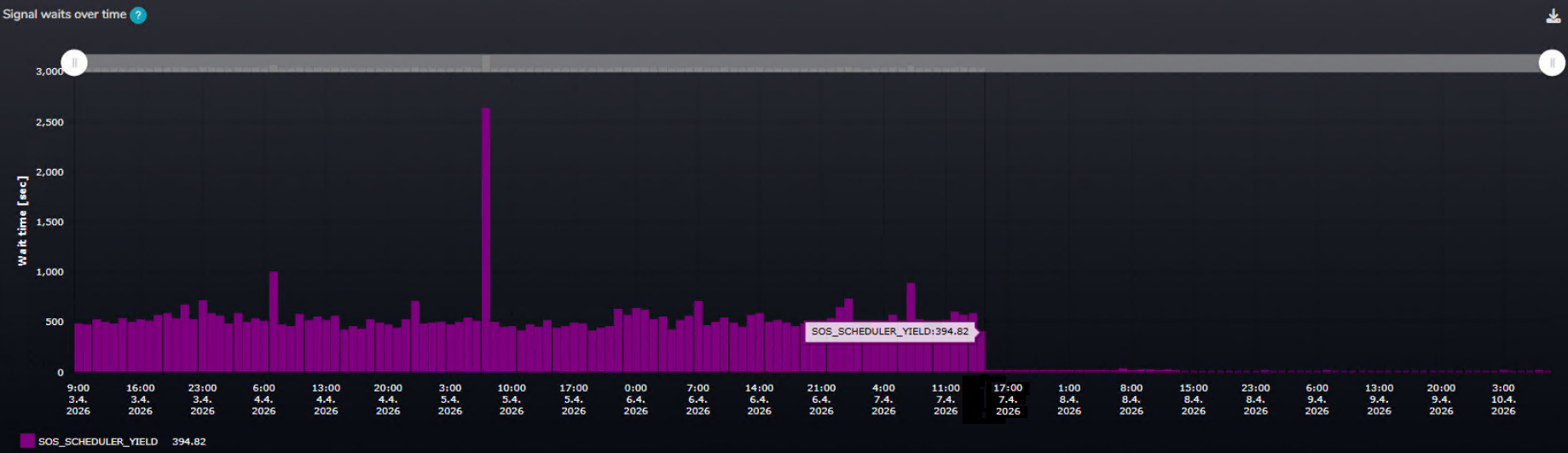
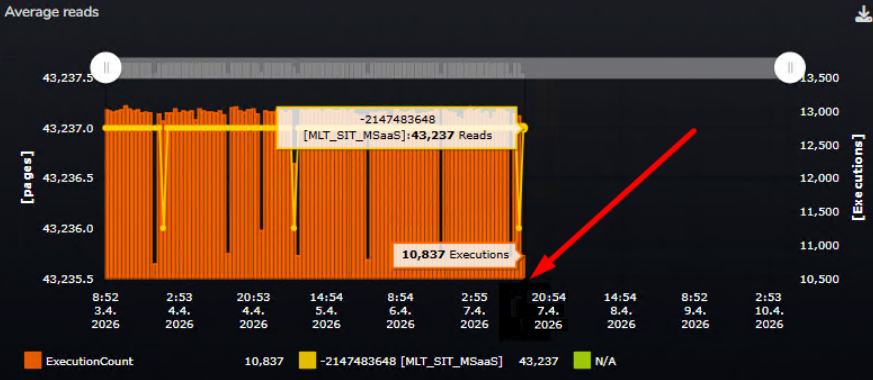
As soon as the client reconfigured the application to set sendStringParametersAsUnicode = false, the performance metrics shifted dramatically. Using our SMT monitoring tool, we verified the recovery across multiple vectors:
CPU Utilization: Total CPU pressure dropped significantly as queries stopped churning through unnecessary table scans.
Latch Contention: We observed a massive drop in the ACCESS_METHODS_DATASET_PARENT latch, which typically accumulates during heavy Index Scan operations and excessive concurrent data reads.
Signal Waits: Pressure on processor queues decreased sharply, reflected by a major reduction in SOS_SCHEDULER_YIELD signal waits.
A/B Testing Results
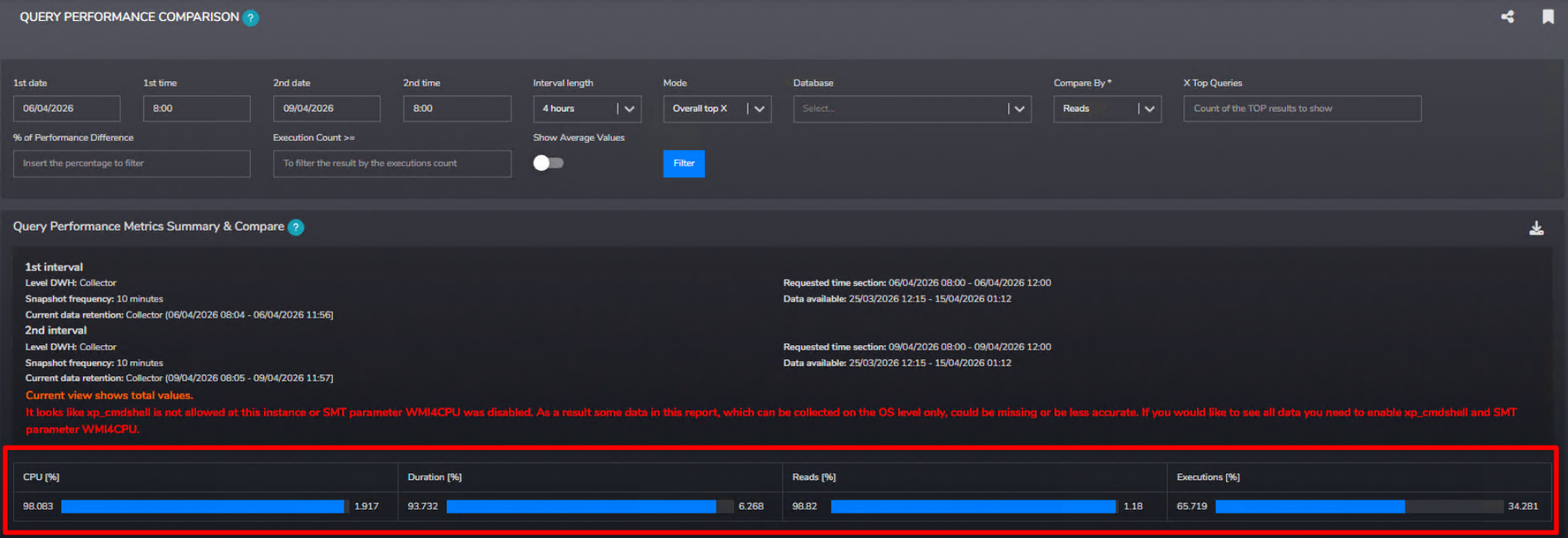
To quantify the fix, we utilized the A/B testing comparison features in SMT, comparing the historical intervals before and after the hotfix:
Resource Consumption: In more than 90% of cases, key metrics such as CPU time, logical reads, and total runtime were significantly higher before the fix compared to the optimized period.
Query Hashes: Individual query performance hashes improved dramatically across the board, confirming system-wide relief.
Key Takeaway: Never overlook application-tier connection string defaults or treat them as mere boilerplate. A simple configuration change can mean the difference between full index utilization and crippling implicit conversions. When your application and database speak different data-type languages, your hardware pays the price. Taking the time to audit these underlying driver settings is often one of the highest-impact investments you can make for your database's long-term health and performance.
Michal is a technically proficient SQL Server Specialist with a proven track record in resolving incidents and implementing changes within large-scale database infrastructures, ensuring maximum availability of services. Concurrently, as a Digital Content and Marketing Specialist, his priority is building strong online brand identities through strategic communication and creative storytelling. He consistently seeks new ways to enhance digital interaction, believing quality digital communication is key to success in today's connected world.
Recently, we have got a case where our customer requested to implement archiving strategy for their DWH. We wanted to share with you how we approached this and what was the final output.